How to Hire AI-Native Engineers: A Buyer's Checklist
A practical checklist for hiring AI-native engineers: set your AI-tool rules first, test on a real task, ask the right interview questions and spot the red flags.

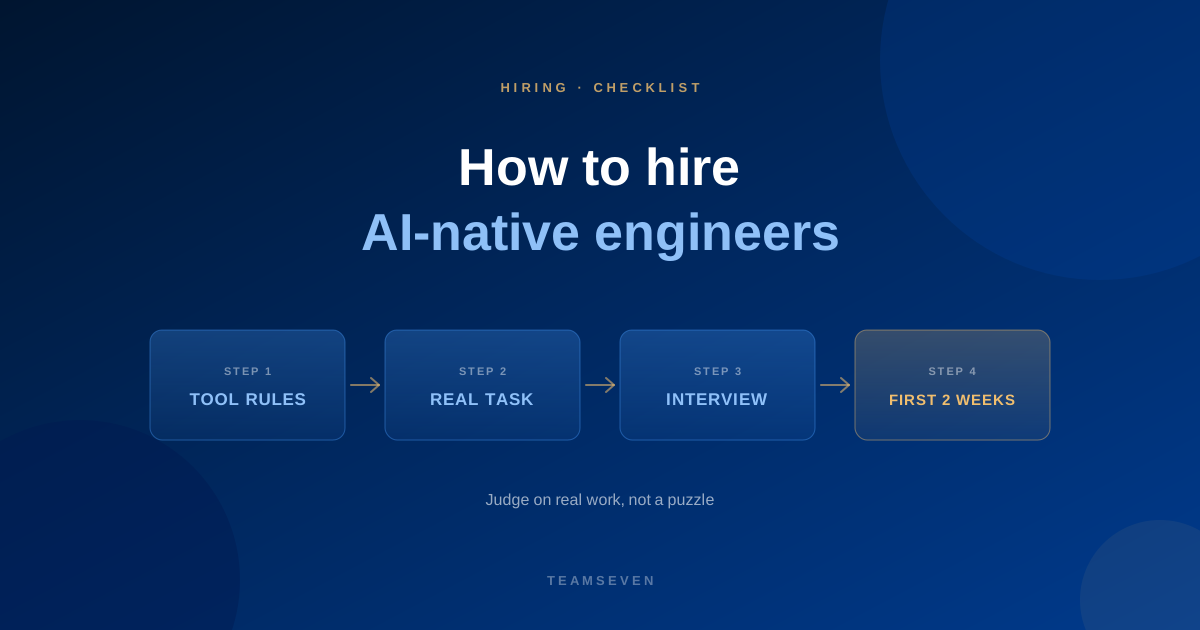
To hire AI-native engineers well, decide your AI-tool rules before you interview, judge candidates on a real task rather than a puzzle, and ask questions that reveal how they review AI output. This checklist covers each step, whether you hire directly or through a partner like us.
1. Decide what the work is
Write down the first three things the engineer will do. "Help with the backend" is too vague to test anyone against. "Add invoicing to the job screen, with a Stripe webhook and tests" is something you can judge.
Also decide the role: full-stack, backend, frontend, mobile, data, cloud, or an architect. Each is hired and tested differently.
2. Set your AI-tool rules first
This is the step most buyers skip, and it matters more than the interview.
- Which AI tools, if any, may see your source code?
- Is there code or data that must never go into a third-party tool, such as customer records, keys or regulated data?
- Who pays for the tools: you or the engineer's employer?
- Do you want AI-assisted changes flagged in pull requests?
Write the answers down and give them to the candidate or partner before work starts. Any good engineer will welcome clear rules. If a provider has no view on this, treat that as a warning.
3. Test on a real, small task
Skip the whiteboard puzzle. A real task from your backlog, sized for a day or two, tells you far more:
- Can they get your project running and understand it?
- Do they ask about the requirement before building?
- Is the pull request small, readable and tested?
- When you leave review comments, do they respond well?
Pay for this task where you can. It is fairer, and it shows you how they work with your team.
4. Interview questions that work
Ask for specifics about recent work. Strong answers name real tasks and real mistakes.
- "Walk me through a recent change. Which parts did an assistant draft?" Look for a clear split between what the tool wrote and what they wrote or rewrote.
- "Tell me about a time an AI tool gave you wrong code. How did you catch it?" Good answers mention reading the diff, running it, or a failing test. "It never gets things wrong" is a bad answer.
- "What do you never hand to an assistant?" Expect authentication, access rules, the data model, migrations and anything involving secrets or personal data.
- "How do you check code you didn't write?" Look for reading before running, tests, and checking against the OWASP Top 10 for anything user-facing.
- "How do you keep AI-written code consistent with the rest of the codebase?" Look for conventions, linters, small changes and review.
- "What would you do if the client said no AI tools on this repository?" A good engineer says they would work without them and be honest about the pace.
- "How do you handle a requirement you don't understand?" They should ask, not guess, and not have an assistant guess for them.
5. Red flags
- A promised speed-up figure before they have seen your code
- No opinion on where AI should not be used
- Cannot explain code they claim to have written
- Treats review comments as an attack
- Pastes customer data or secrets into tools without asking
- Vague about who owns the code and where it lives
6. Get the paperwork right
Whoever you hire through, confirm in writing:
- Ownership. All code, designs and IP are yours, from the first commit.
- Location. Code lives in your repositories, not on someone's laptop or a private server.
- Tool rules. Your AI-tool policy is part of the agreement.
- Notice. How and when you can add, swap or remove people.
- Contact. Who you speak to when something is not working.
At Teamseven, everything is committed to your repositories as it is written, and you can reach the founders directly.
7. Judge the first two weeks
Do not wait for a quarterly review. In the first two weeks, look at:
- Is the first small change live by the end of week one?
- Are pull requests getting smaller and clearer?
- Are questions shifting from "where is this?" to "should we do it this way?"
- Are tests being written, and do they test something?
- Are you spending less time explaining and more time reviewing?
Our onboarding plan for a remote developer covers the first fortnight day by day.
8. Decide how to hire
You have three realistic routes:
- Hire directly. Full control, and you carry recruitment time, payroll and cover.
- Staff augmentation. An engineer joins your team and you manage their work. See how staff augmentation works.
- A dedicated team. We manage the engineers and own delivery, and you set priorities. See the dedicated team page.
The staff augmentation vs dedicated team comparison helps you choose.
Read more
- What is an AI-native engineer?
- AI-native engineer vs traditional developer
- Hire AI-native engineers at Teamseven
How much should I pay for an AI-native engineer?
Rates depend on the role, the stack and the experience you need, and they vary a lot between markets, so a single number would mislead you. When you compare quotes, compare what is included: recruitment fees, management, cover when someone is away, and who owns the code. We quote each engineer as a monthly rate on a call, with no recruitment fees.
How long does it take to hire an AI-native engineer?
Hiring locally often takes months. Through a partner who already has matched engineers, it can be weeks. At Teamseven we propose people after a first call, introduce them before you commit, and they start on your backlog soon after.
Should I allow AI tools on my codebase at all?
That is your decision, and a reasonable one either way. If the code is sensitive or contractually restricted, say so and expect the engineer to work without them. If you allow them, set the rules in writing and review the output as carefully as you would any contributor's.
Stay connected
Build notes, launches, and new articles from the Teamseven team.