
Here is a pattern we see on almost every project that comes to us for rescue: no staging environment, no automated tests running on changes, and a deployment process that lives in one person's head. Releases happen when that person is free, and everyone is slightly nervous every time.
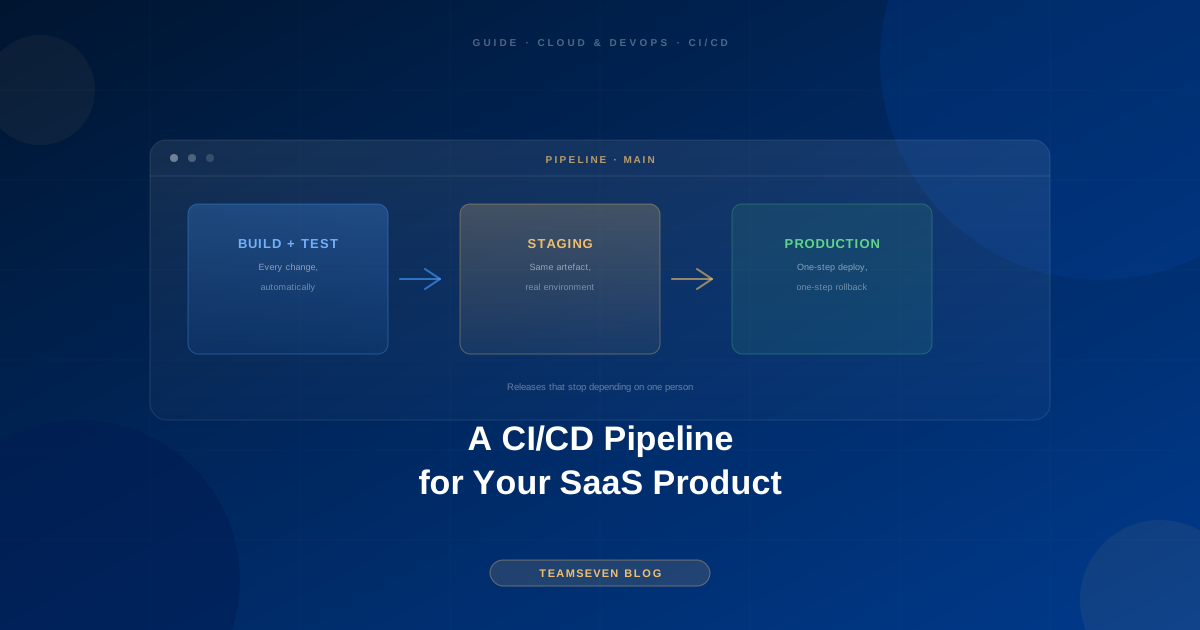
A CI/CD pipeline fixes that. Continuous integration means every change is automatically built and tested. Continuous delivery means every change that passes can be deployed with one step, and rolled back with one step. For a SaaS product, it is one of the highest-return pieces of infrastructure you can build, because it makes every future change cheaper and safer.
This guide covers what a SaaS pipeline actually needs, in the order to build it, and what to leave out until you need it.
The minimum pipeline worth having
For most SaaS products, this is the whole thing:
- Trigger: a push or merge to the main branch (and every pull request for the checks).
- Install and build: a clean, repeatable build from the repository, never from someone's laptop.
- Automated checks: linting, unit tests, and a handful of integration tests on the critical paths.
- Deploy to staging: automatically, on every merge to main.
- Deploy to production: with one approval step, using the exact artefact that was tested on staging.
- Rollback: one step back to the previous version.
That is it. Everything else is an improvement on top. Teams often stall by trying to build the perfect pipeline on day one; a simple pipeline that runs on every change beats an elaborate one that is still being designed.
Environments: staging is not optional
A staging environment is a copy of production that is not production. It should match production closely: same runtime versions, same type of database, same configuration shape, different data and different credentials.
Staging is where you find out that a change works in a real deployed environment, not just on a developer's machine. Without it, production is your test environment, and your customers are your testers.
Two rules keep staging useful:
- Deploy to staging automatically. If it takes effort, people skip it.
- Promote the same build to production. Rebuilding for production means you are deploying something slightly different from what you tested.
Tests: start with the paths that cost money
You do not need full test coverage to get most of the value. Start with tests on the flows where a bug costs money or trust:
- Sign up and log in
- The core action your customers pay for
- Billing and subscription changes
- Permissions: one tenant must never see another tenant's data
In a multi-tenant SaaS product, that last one deserves its own tests. Tenant isolation bugs are rare and very expensive, which is exactly the kind of thing automated tests are for. (More on that in our guide to multi-tenant vs single-tenant architecture.)
Database migrations: the part that bites
Code is easy to roll back. Data is not. Database migrations need rules of their own:
- Run migrations as part of the pipeline, never by hand on the production server.
- Make migrations backwards compatible where possible. Add a column in one release, start using it in the next, and remove the old one later. That way the previous version of the code still works if you have to roll back.
- Back up before migrating production, automatically.
- Test migrations on staging with realistic data volumes. A migration that takes a second on a small database can lock a large table for minutes.
Secrets and configuration
API keys, database passwords, and payment credentials do not belong in the repository. Store them in a secrets manager or the pipeline's secret store and inject them at deploy time. Each environment gets its own credentials, so a staging mistake can never touch production data or charge a real card.
Monitoring closes the loop
A pipeline tells you a deploy succeeded. Monitoring tells you whether the application is still healthy afterwards. At minimum:
- Error tracking that alerts on a spike in new errors after a release
- Uptime checks from outside your infrastructure
- A way to see which version is running in each environment
When a release causes a problem, this is what turns a one-step rollback from a theory into a two-minute fix.
What to skip until you need it
- Kubernetes. A containerised application on a managed service is plenty for most SaaS products at the start.
- Blue-green and canary releases. Valuable at scale, unnecessary overhead before it.
- Deploying on every commit to production with no approval. Fine for mature teams with strong tests. Most teams are better served by one human approval.
- A custom deployment platform. Use the pipeline features of your code host or a well-known CI service.
Adding CI/CD to an existing product
If your product already exists without a pipeline, the order is:
- Make the build reproducible from the repository alone.
- Create a staging environment.
- Automate deployment to staging.
- Automate production deployment with approval and rollback.
- Add tests on the critical paths, one at a time.
This order gives you safer releases within the first steps, before any test is written. In our experience, adding this before any new feature work on an inherited system saves time overall, because every later change becomes cheaper to ship.
If you want it done properly without hiring a full-time DevOps engineer, that is the core of our DevOps consulting services: a pipeline, staging and production environments, monitoring, and full documentation, all in accounts you own.
FAQ
How long does it take to set up CI/CD for a SaaS product? A basic pipeline with staging, automated deploys, and rollback is usually days to a couple of weeks of work, depending on how reproducible the build already is. Test coverage then grows over time.
Do we need Docker for CI/CD? No, but containers make builds and environments much more consistent, which removes a whole class of "works on my machine" problems. For most new SaaS products we recommend them.
Should every merge deploy straight to production? Every merge should deploy to staging. Production deploys with one approval step are the right default for most teams until the test suite is strong enough to trust fully.
What is the difference between CI/CD and DevOps? CI/CD is the automated build, test, and deploy pipeline. DevOps is the wider practice of running software reliably: infrastructure, monitoring, incident response, and the pipeline together.
Muhammad Nabeel is the co-founder of Teamseven. We build SaaS products and the pipelines that ship them, and we add CI/CD to inherited systems as a first step in most project rescues. Book a free 30-minute call if your releases still depend on one person.
Related reading
Stay connected
Build notes, launches, and new articles from the Teamseven team.