How to Calculate the ROI of Automation and Custom Software
Work out whether automation or custom software will pay for itself, using your own numbers: time saved, errors avoided, faster cash and running costs.

Every automation pitch promises that it will pay for itself. Some do. Some never do. The difference is almost always visible before you spend anything, if you do the sums with your own numbers instead of someone else's averages.
This post gives you a simple way to do that. It works for automating one step, connecting two tools or building a full system.
The basic formula
Return on investment compares what you gain with what you spend:
ROI = (yearly benefit − yearly running cost) ÷ upfront cost
And the payback period, which most owners find easier to reason about:
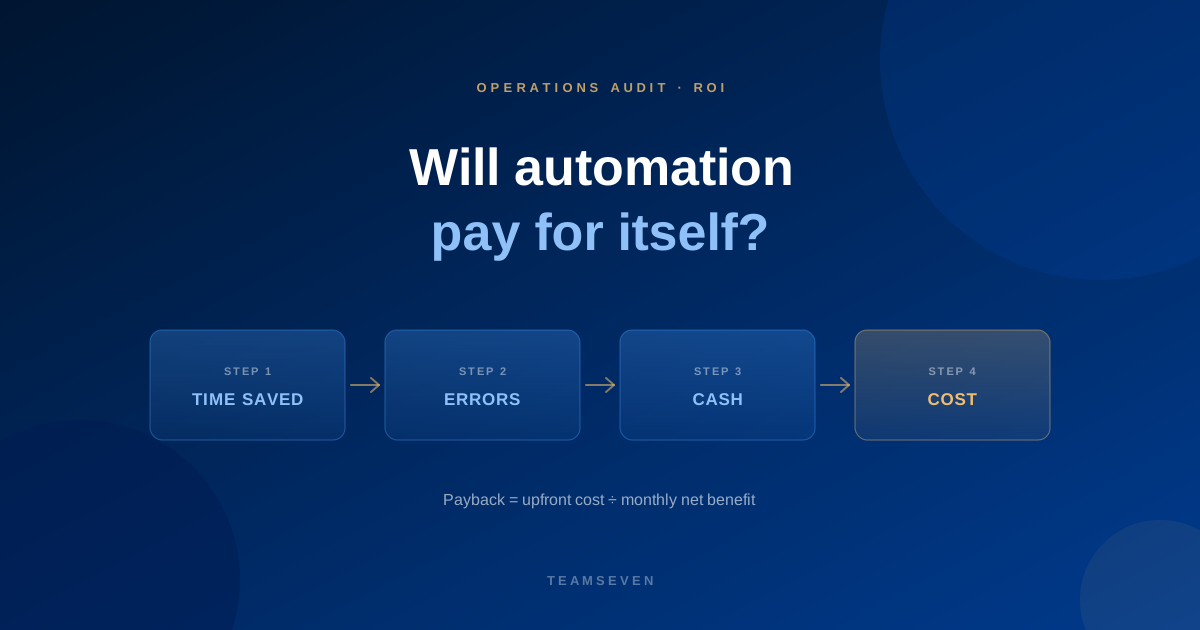
Payback in months = upfront cost ÷ monthly net benefit
The formula is the easy part. The work is in estimating each number honestly.
Step 1: measure the benefit
Start from the process you mapped (if you haven't, see how to audit a B2B business for time and money leaks). The benefit usually comes from four places.
Time saved
For each manual step the change removes: how often it happens × how long it takes × the hourly cost of the person doing it. Our guide to the hidden cost of manual processes shows how to measure this.
Be careful here. Saved time is only a saving if it's used for something else, like more jobs, faster replies, or not hiring the next administrator. If it just disappears into a quieter afternoon, count it at a discount.
Errors avoided
List the mistakes the process causes: wrong addresses, wrong prices, double bookings, missed extras. Estimate how often each happens and what it costs to put right, including refunds and lost customers.
Money recovered
If the change closes revenue leakage, such as unbilled work, forgotten extras or late invoices, estimate what you're currently missing. Check it against real jobs rather than guessing.
Faster cash and capacity
Invoicing on completion instead of at the end of the week shortens your cash cycle. Automating routine work can let the same team take on more. Our parking client is a good example: once plate reading, payment and gate control ran as one flow, routine entries and exits needed nobody, and operators moved the staff time that used to go on peak-hour access to other work.
Step 2: count the full cost
The upfront build or setup cost is only part of it. Include:
- Build or setup. A fixed quote for the work. For reference, the smallest project we take on is $5,000, a first version usually costs $8,000 to $12,000, and most full systems land between $10,000 and $30,000.
- Running costs. Hosting, third-party services and any subscriptions the new setup needs.
- Maintenance. Updates, fixes and security patches. Ours is $700 a month after two months of free fixes.
- Your team's time. Workshops, testing, training and the dip in speed while people learn a new way of working.
- What you stop paying for. Tools you can cancel once the new setup is live. This reduces the cost.
Step 3: do the sums
A worked example with made-up numbers, to show the method:
A process change saves one administrator about 10 hours a week of re-keying and reporting, avoids a couple of costly mistakes a month, and lets the business invoice on completion. Add those up and estimate the monthly benefit. Subtract the monthly running and maintenance costs to get the monthly net benefit. Divide the upfront cost by that figure. If the answer is a year or less, it's usually an easy decision. If it's several years, look for a smaller fix first.
Step 4: sense-check the result
Before you trust the number, ask:
- Is the process stable? Automating a process that changes every month means paying to change the software every month.
- Is the volume real? Check against records, not impressions.
- Would a cheaper option get most of the benefit? A setting, an off-the-shelf tool or an integration might capture most of the gain for a fraction of the cost.
- What happens if you do nothing? Sometimes the honest answer is that the process costs very little and should be left alone.
Build or buy?
The ROI sum often settles this on its own. Off-the-shelf tools have a low upfront cost and an ongoing subscription, and you adapt your process to them. Custom software costs more upfront, you own it, and it fits the process exactly. It pays off when the process is central to how you compete, when off-the-shelf tools force costly workarounds, or when you plan to sell the system to others, as i-mve did.
We recommend off-the-shelf when it fits. We'd rather lose a build than sell you one that won't pay back.
What is a good ROI for automation?
There's no universal number, but a payback within the first year is usually a clear yes, and anything over two to three years deserves a hard look for a cheaper option. Use your own numbers rather than industry averages; your process is what you're paying to fix.
Should I include my team's time in the cost?
Yes. Workshops, testing and learning a new system take real hours. Leaving them out makes every project look better than it is, and it's the most common reason ROI forecasts disappoint.
Can Teamseven help estimate the ROI?
Yes. Our free business process audit maps the process and costs the leaks, and the written proposal includes a fixed quote, so you can do the payback sum with real numbers on both sides.
Stay connected
Build notes, launches, and new articles from the Teamseven team.