SaaS Tool Sprawl: How to Audit Your Software Stack and Stop Paying Twice
Too many tools means paying twice and typing twice. Audit your software stack: what to cancel, what to connect and when to replace several tools with one.

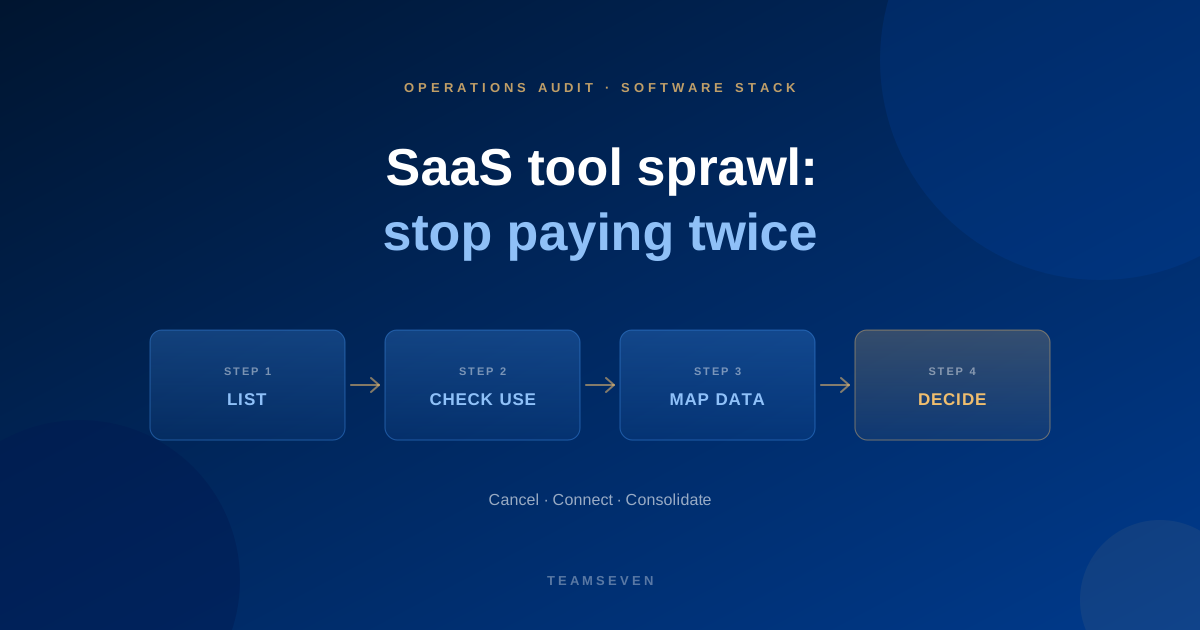
Tool sprawl creeps up on a growing business. Each tool was bought for a good reason: someone needed scheduling, someone else needed a CRM, a customer insisted on a portal. Years later you have a stack that nobody chose as a whole, where the same customer lives in four places and nobody is sure which one is right.
The subscription cost is the part people notice. It is rarely the biggest part. The bigger cost is the work of carrying data between tools that don't talk to each other.
The three costs of tool sprawl
- Paying twice. Overlapping tools that do the same job, and seats for people who left or never logged in.
- Typing twice. Staff copying data between tools because they aren't connected. This is usually the largest cost, and it never appears on a software invoice.
- Trusting nothing. When each tool has its own version of the customer or the job, reports disagree and decisions wait for someone to reconcile them.
Step 1: list every tool
Include everything the business pays for or depends on: CRM, scheduling, quoting, email marketing, forms, file storage, chat, accounting, payroll, the spreadsheets that hold it all together, and the "free" tools someone signed up for with a work email.
For each one note the monthly cost, the number of seats and the owner.
Step 2: check who really uses it
Ask each tool's owner, and where possible look at the login or activity data. You are sorting into:
- Daily. The business would stop without it.
- Occasional. Useful, but not central.
- Forgotten. Paid for, barely used.
The forgotten ones are the easy savings. Cancel or downgrade them.
Step 3: find the overlaps
Look for tools that do the same job. Two places to store files. Two tools sending customer emails. A CRM and a spreadsheet both holding the customer list. Pick one for each job and move the rest.
Step 4: map how data moves between them
This is the step most audits skip, and it's the one that matters. For your core process, from enquiry to paid invoice, trace how information gets from one tool to the next:
- Connected. It flows automatically.
- Exported and imported. Someone downloads a file and uploads it elsewhere.
- Re-typed. A person copies it by hand.
Every export and every re-type is a leak. Our guide to the hidden cost of manual processes shows how to put a number on them.
Step 5: decide cancel, connect or consolidate
For each tool and each gap you now have three options:
- Cancel. Unused or duplicated tools. Pure saving.
- Connect. Good tools that don't share data. An integration removes the re-typing without changing how people work. Connecting operational software to Xero, QuickBooks or Sage is one of the most common examples.
- Consolidate. When several tools each cover part of one process, and the gaps between them cause most of the leaks, one system built around the process can replace them.
That last option is how i-mve came about. Removals firms were juggling enquiries, quotes, emails, jobs, invoicing and accounting across separate tools and spreadsheets. One system covering the whole journey replaced the patchwork, and it now runs 523 companies.
When not to build
Consolidating into custom software is not always the answer. If the process is common, like standard CRM or bookkeeping, a proven product is usually cheaper and someone else maintains it. We recommend off-the-shelf tools when they fit. Build only when the process is specific to how your business competes, or when the cost of the gaps is larger than the cost of a system that closes them.
Read how to calculate the ROI of automation before you decide.
How often should we audit our software stack?
Once a year is enough for most businesses, and whenever a key person leaves or a tool's price changes. A quick list-and-check takes an afternoon.
Who should own the software stack?
One person, even in a small business. Without an owner, tools are added and never removed. They don't need to be technical, just responsible for keeping the list current and asking "do we still need this?"
Can Teamseven help us consolidate our tools?
Yes. We start with a free business process audit: we map the process, find where tools overlap or don't connect, and recommend what to cancel, connect or build. Sometimes the answer is to keep what you have and connect it.
Stay connected
Build notes, launches, and new articles from the Teamseven team.