Connecting a Custom CRM to Xero, QuickBooks, and Sage Without Breaking on Every Update
What breaks when custom software talks to accounting platforms, and how we built i-mve's Xero, QuickBooks and Sage integrations to survive it.

Every operational software project eventually hits the same requirement: "and it needs to send invoices to our accounting system." It sounds like a checkbox. It's usually one of the more failure-prone parts of the build, and the reason is almost never the initial integration. It's what happens six months later when something on the accounting platform's side changes.
We built this into i-mve, the operations platform for UK removals companies that we build and maintain as our client’s technology partner, which syncs invoices to whichever of Xero, QuickBooks, or Sage a given company already uses. Here's what makes that integration hold up in production across 523 companies, rather than breaking quietly for a handful of them every few months.
Why "just call the API" undersells the problem
Xero, QuickBooks, and Sage all publish REST APIs with reasonable documentation. The first integration (create a contact, create an invoice, mark it paid) is a few days of work. What takes longer, and what most estimates miss, is everything that happens after that first version ships:
Each platform has different data models for the same concept. An "invoice" in Xero, a "sales receipt" or "invoice" in QuickBooks, and Sage's own line-item structure don't map one-to-one. Tax handling, especially UK VAT with different rates and reverse-charge scenarios, is modeled differently enough between the three that a naive shared "create invoice" function breaks the moment you test it against all three platforms with real UK tax scenarios.
OAuth tokens expire, and refresh flows differ per platform. A production integration that doesn't handle token refresh gracefully doesn't fail loudly. It fails silently, days or weeks later, when a token expires and nobody notices until a company's invoices stop syncing and they call support confused about why their books don't match.
Rate limits are real and different per platform. A batch of invoices generated after a busy day of job completions can hit API rate limits if you're not deliberately throttling and queuing, and a naive implementation either drops requests or blocks the whole application waiting on a slow retry.
The platforms change their APIs. Not often, but often enough that an integration built once and never revisited accumulates silent failures. Deprecated endpoints, changed field requirements, new mandatory fields on certain invoice types: any of these can break a specific company's sync without touching the others, which makes the failure mode especially hard to notice without deliberate monitoring.
What we built
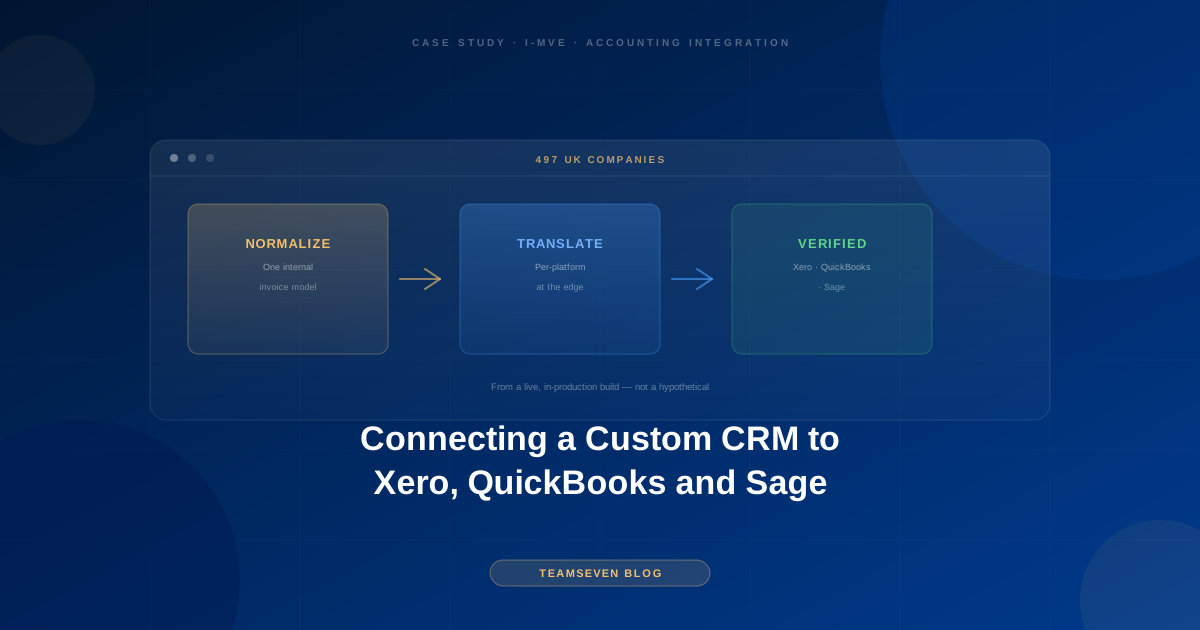
A normalized internal invoice model, translated per platform at the edge. i-mve doesn't have three separate invoice-creation code paths scattered through the application. Internally, an invoice is one consistent shape. A translation layer converts that shape into whatever Xero, QuickBooks, or Sage specifically needs at the point of sending, which means adding a fourth accounting platform later is a new translator, not a rewrite of the core system.
Per-company connection health, not a global assumption. Each of the 523 companies on i-mve has its own accounting connection, its own OAuth tokens, its own sync status. A token expiring for one company is visible and actionable (a dashboard flag, an email prompt to reconnect) rather than a silent failure discovered when someone reconciles their books weeks later.
Idempotent sync operations. If a sync attempt fails partway through (network blip, rate limit, a transient API error) retrying it shouldn't create a duplicate invoice on the accounting platform. Every sync operation carries an idempotency key so a retry is safe by construction, not something we have to reason about carefully every time.
Queued, throttled batch sync. Invoice generation and accounting sync are decoupled. A busy day of completed jobs queues up sync operations that process within each platform's rate limits, rather than firing a burst of API calls that gets throttled or rejected.
Monitoring on the integration itself, not just the application. We track sync success/failure rates per platform and per company, so a pattern (say, a spike in Sage failures after Sage ships an API change) gets caught by us before it becomes a support ticket from a confused customer.
The lesson that generalizes beyond accounting
The pattern here isn't specific to Xero, QuickBooks, and Sage. It's the general shape of integrating with any third-party platform you don't control: normalize internally, translate at the edge, assume partial failure is normal, and monitor the integration as its own thing, not as an afterthought bolted onto the feature it supports. It's the same pattern we apply across all of our systems integration services, whether the other end is an accounting platform, a carrier API, or a camera network.
The most common mistake we see in systems that weren't built this way: the third-party API call is made directly from wherever the business logic happens to need it, with no translation layer and no idempotency guarantee. It works fine in the demo. It works fine for the first dozen customers. Then customer 200 has a slightly different tax setup, or a token expires at 2am, and now there's a silent data mismatch that nobody notices until someone's books don't reconcile at month end.
Building the translation layer and the failure handling up front costs more time in week one. It's the difference between an integration that scales to 523 companies cleanly and one that needs a rewrite somewhere around company 50.
Stay connected
Build notes, launches, and new articles from the Teamseven team.